Super Admin Super Admin
Trang Super Admin là dashboard dành cho đội vận hành platform: quản lý đa tenant, tạo tenant mới, gán API key, xem analytics toàn nền tảng và quản lý System Admin (admin của từng tenant). Khác với Client Admin (gắn với một tenant), Super Admin có quyền truy cập cross-tenant. Thuộc module Super Admin.
Ai sử dụng
Dùng bởi Super Admin / Platform operator — tài khoản do platform cấp, không gắn với một tenant cụ thể.
Sử dụng như thế nào
Đăng nhập Super Admin (email + mật khẩu) → vào Overview, Quản lý tenant, Tạo tenant mới, Chi tiết tenant. Trong Chi tiết tenant: xem/sửa thông tin, tạo/thu hồi API Key, xem/tạo Admin (Client Admin) cho tenant. Luồng onboarding: tạo tenant → tạo API Key → tạo Admin đầu tiên → client đăng nhập Client Admin.
Giá trị cho đối tác (use case)
Nếu bạn là platform / SaaS cung cấp gamification cho nhiều client (tenant): Super Admin cho phép bạn tạo tenant mới (onboarding), cấp API Key để client tích hợp, và tạo tài khoản Admin đầu tiên cho client — client sau đó đăng nhập Client Admin và tự cấu hình rule, reward. Bạn có một dashboard duy nhất để xem toàn bộ tenant, analytics tổng, không cần đăng nhập từng tenant. Phù hợp đối tác B2B, white-label.
Tích hợp từng bước (cho Developer)
- Nhận tài khoản Super Admin
Đăng nhập bằng email/password do platform cấp.
- Tạo tenant mới (onboarding client)
Vào form Tạo tenant mới, điền tên, slug, thông tin liên hệ. Lưu xong tenant xuất hiện trong danh sách.
- Tạo API Key cho tenant
Trong trang Chi tiết tenant tạo API Key; gửi key cho client để họ tích hợp Widget/SDK.
- Tạo Admin đầu tiên cho tenant
Trong Chi tiết tenant, mục Admins, tạo Admin mới (email, password, tên hiển thị). Client dùng tài khoản này đăng nhập Client Admin.
1. Các trang đang có
Super Admin gồm các màn hình chính sau:
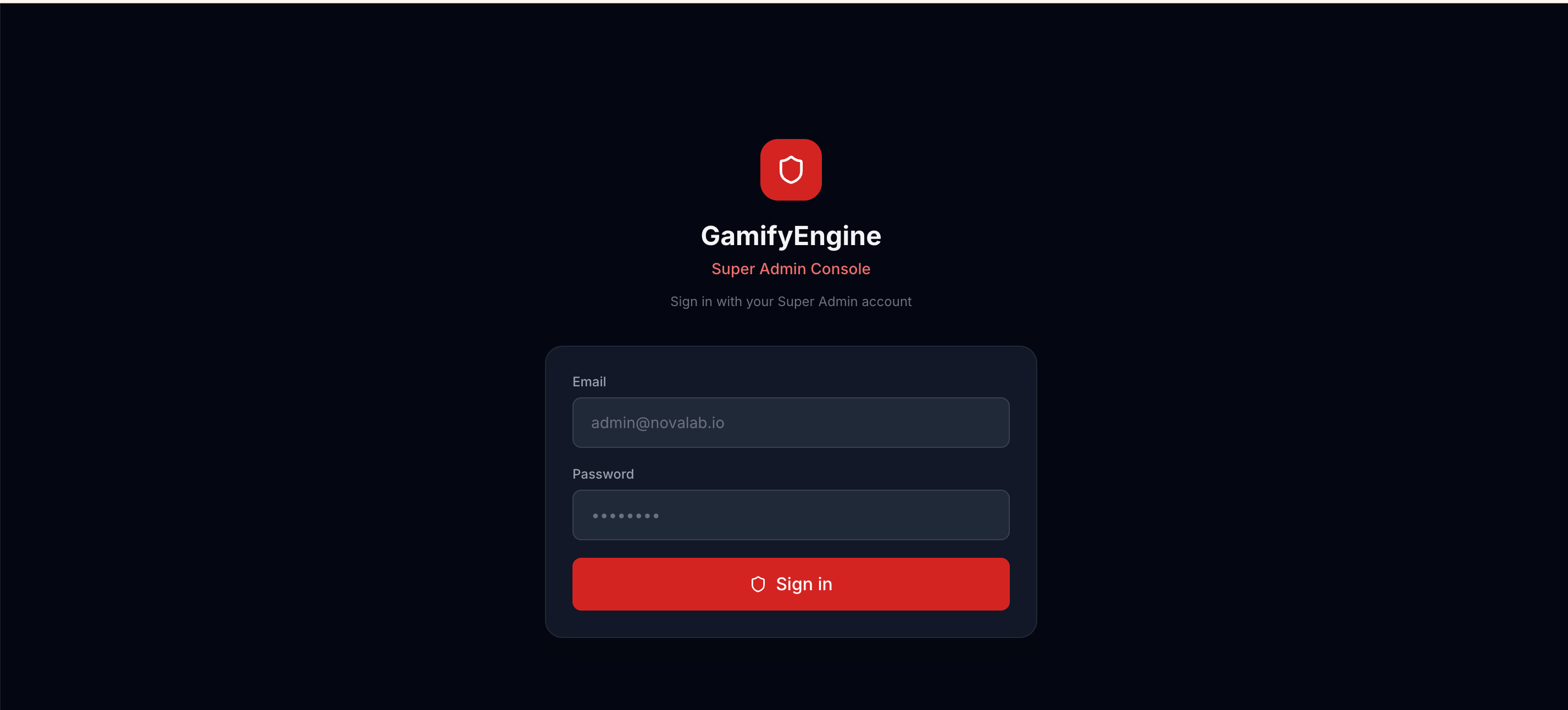
- Đăng nhập — Trang login riêng cho Super Admin (email + mật khẩu).
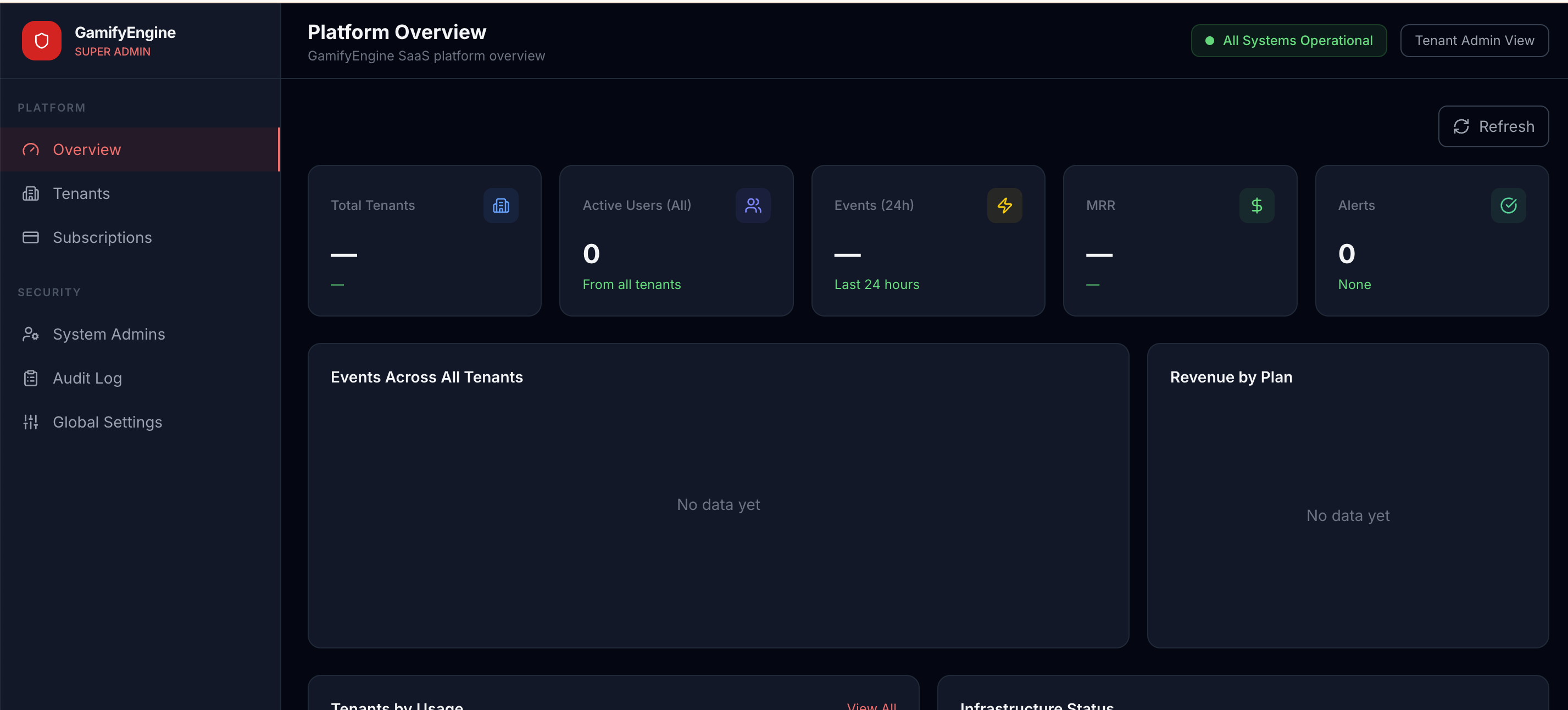
- Overview / Tổng quan — Thống kê toàn platform, tổng số tenant, analytics tổng hợp.
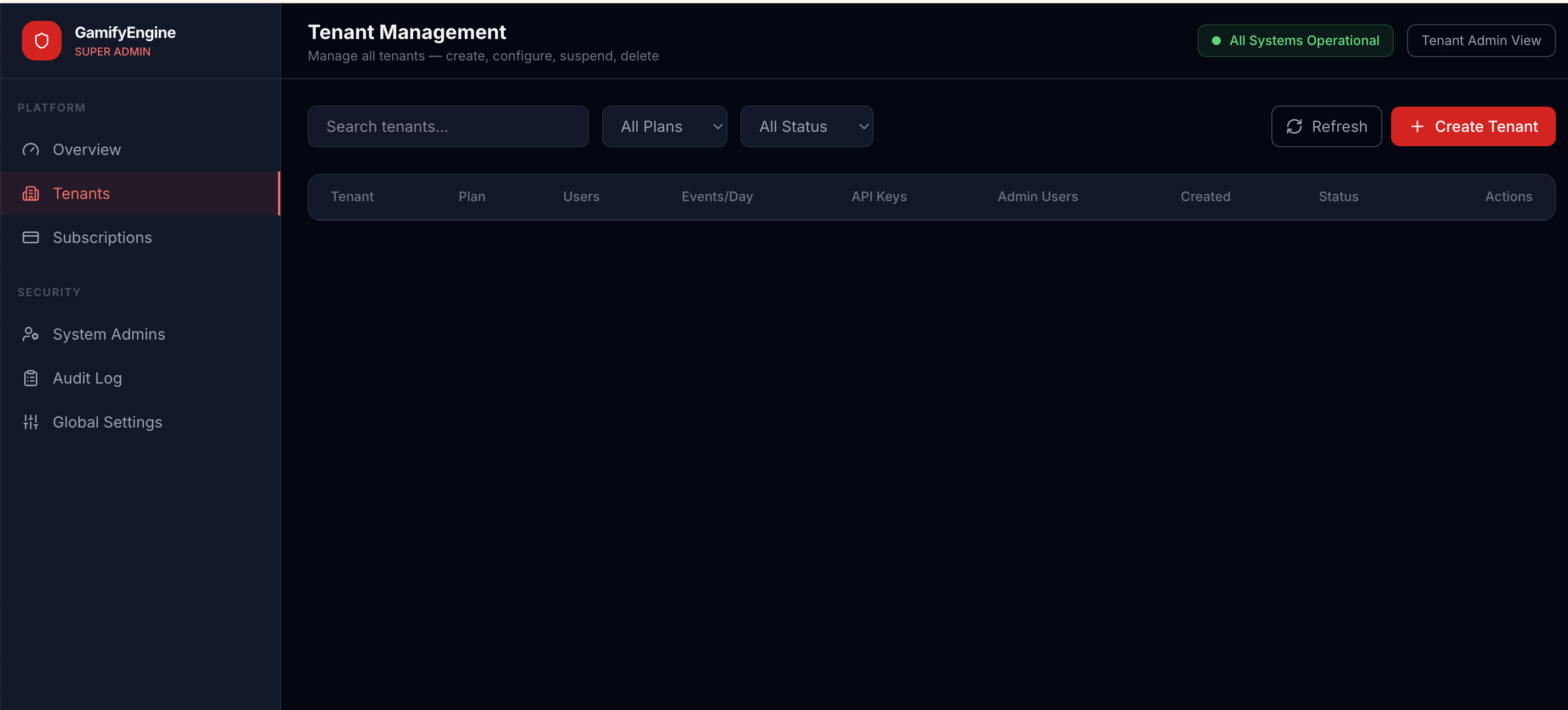
- Quản lý Tenant — Danh sách tenant, tìm kiếm, lọc; vào chi tiết từng tenant.
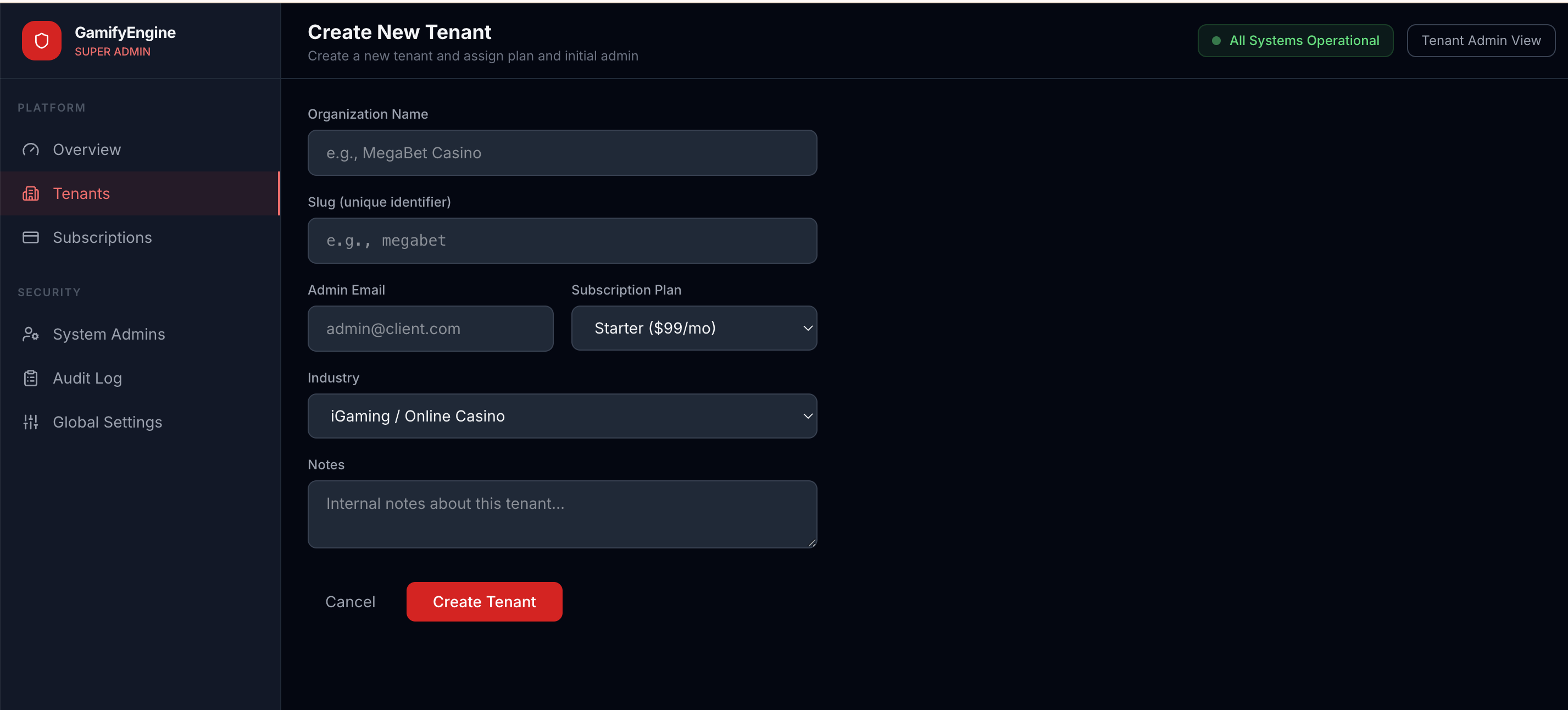
- Tạo Tenant mới — Form tạo tenant (tên, slug, thông tin liên hệ, …).
- Chi tiết Tenant — Xem/sửa thông tin tenant, quản lý API Key của tenant, quản lý danh sách Admin (Client Admin) của tenant.
Tổng quan dashboard Super Admin sau khi đăng nhập.
2. Đăng nhập
Super Admin dùng luồng đăng nhập tách biệt với Client Admin. Bạn truy cập URL dashboard Super Admin, nhập email và mật khẩu tài khoản Super Admin (do platform cấp). Sau khi đăng nhập thành công, bạn truy cập được toàn bộ màn hình Super Admin (Overview, Quản lý tenant, Chi tiết tenant, …).
Màn hình đăng nhập Super Admin.
3. Cách tạo Tenant
Từ menu hoặc nút Tạo tenant mới, bạn vào form tạo tenant. Điền các thông tin bắt buộc (thường gồm: tên tenant, slug dùng cho URL/API, email liên hệ, …). Sau khi lưu, tenant mới xuất hiện trong danh sách quản lý tenant. Tenant vừa tạo chưa có API Key — bạn có thể tạo API Key trong trang Chi tiết tenant.
Form tạo tenant mới.
4. Quản lý Tenant
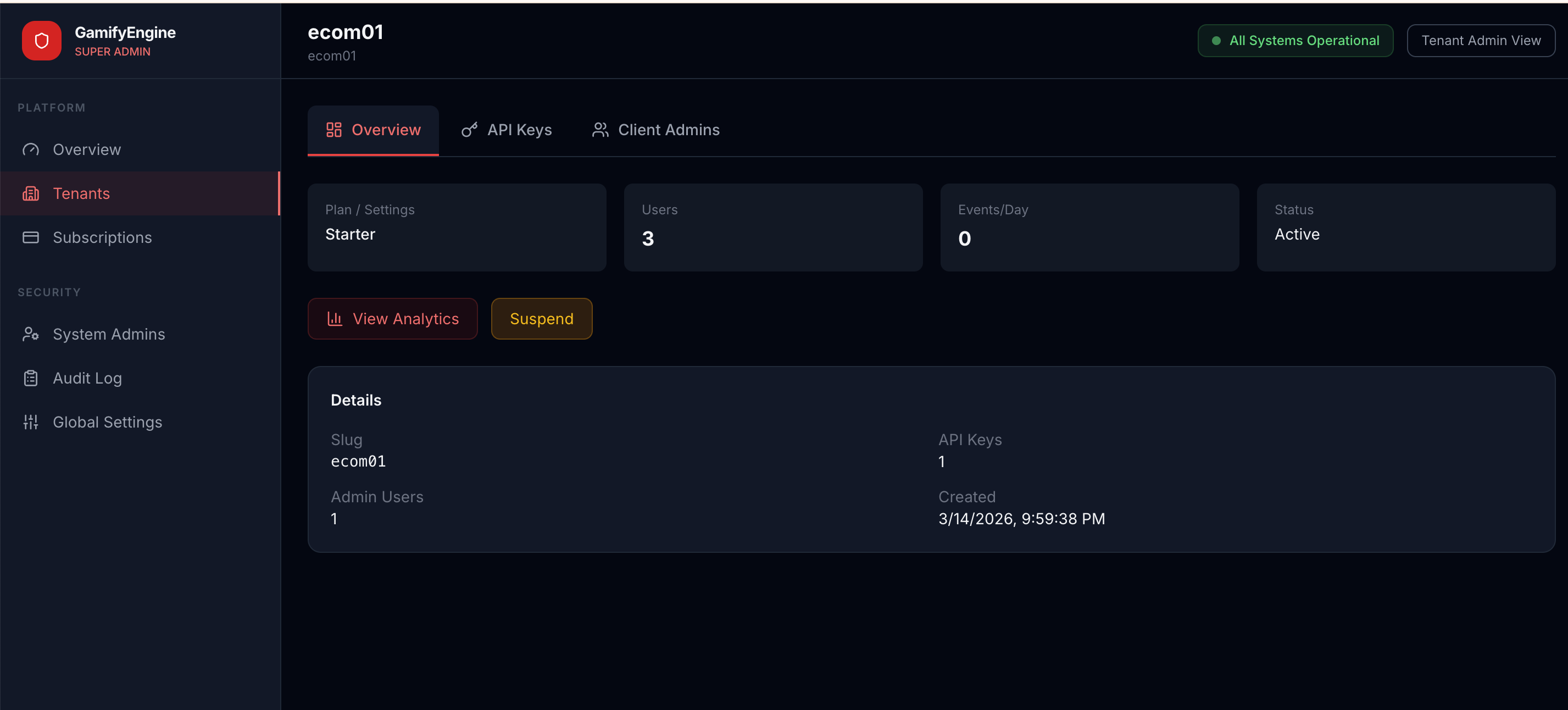
Trang Quản lý tenant hiển thị danh sách tất cả tenant trên platform. Có thể tìm kiếm theo tên, slug hoặc lọc theo trạng thái. Click vào một tenant để mở Chi tiết tenant — tại đây bạn có thể: xem/sửa thông tin tenant, tạo/xem/thu hồi API Key của tenant, xem danh sách Admin (Client Admin) và tạo Admin mới cho tenant đó.
Danh sách quản lý tenant.
Chi tiết một tenant — thông tin, API Key, Admins.
5. Quản lý System Admin (Client Admin của tenant)
System Admin ở đây là các tài khoản Client Admin — admin thuộc từng tenant, dùng để đăng nhập Client Admin Dashboard và quản lý rule, reward, user của tenant đó. Trong Super Admin, bạn có thể:
- Xem danh sách Admin của một tenant: trên giao diện Chi tiết tenant, mục Admins.
- Tạo Admin mới cho tenant: nhập email, mật khẩu, tên hiển thị, role. Admin mới sau đó có thể đăng nhập Client Admin với tenant tương ứng (email + password + tenant).
Luồng này dùng khi onboarding tenant mới (tạo tenant → tạo API Key → tạo Admin đầu tiên cho tenant) hoặc khi client cần thêm người quản lý.
6. CORS (khi dashboard và backend khác domain)
Nếu dashboard Super Admin chạy trên domain khác với backend, bên vận hành cần cấu hình CORS cho phép origin của dashboard.
Điều kiện chung (Base URL, cách lấy JWT) xem tại Trang chủ.
The Super Admin page is the dashboard for platform operators: multi-tenant management, create new tenants, assign API keys, view platform-wide analytics, and manage System Admins (admins per tenant). Unlike Client Admin (tied to one tenant), Super Admin has cross-tenant access. Part of Super Admin module.
Who uses it
Used by Super Admin / Platform operator — account issued by the platform, not tied to a specific tenant.
How to use
Log in to Super Admin (email + password) → go to Overview, Tenant management, Create new tenant, Tenant detail. In Tenant detail: view/edit info, create/revoke API Keys, view/create Admins (Client Admin) for the tenant. Onboarding flow: create tenant → create API Key → create first Admin → client logs in to Client Admin.
Value for partners (use case)
If you are a platform / SaaS offering gamification to multiple clients (tenants): Super Admin lets you create new tenants (onboarding), issue API Keys for clients to integrate, and create the first Admin account for each client — the client then logs in to Client Admin and configures rules, rewards. You have one dashboard to see all tenants and aggregate analytics. Ideal for B2B, white-label partners.
Step-by-step integration (for developers)
- Get Super Admin account
Log in with platform-issued email/password.
- Create new tenant (onboard client)
Open Create new tenant form, enter name, slug, contact info. After saving, the tenant appears in the list.
- Create API Key for tenant
In Tenant detail, create an API Key; give it to the client for Widget/SDK integration.
- Create first Admin for tenant
In Tenant detail, Admins section, create a new Admin (email, password, display name). The client uses this account to log in to Client Admin.
1. Pages available
Super Admin includes these main screens:
- Login — Dedicated login page for Super Admin (email + password).
- Overview — Platform-wide stats, total tenants, aggregate analytics.
- Tenant management — List of tenants, search, filters; drill into each tenant.
- Create new tenant — Form to create a tenant (name, slug, contact info, …).
- Tenant detail — View/edit tenant info, manage tenant API Keys, manage list of Admins (Client Admin) for that tenant.
Super Admin dashboard overview after login.
2. Login
Super Admin uses a separate login flow from Client Admin. You open the Super Admin dashboard URL and enter email and password for a Super Admin account (issued by the platform). On success, you can access all Super Admin screens (Overview, Tenant management, Tenant detail, …).
Super Admin login screen.
3. How to create a tenant
From the menu or Create new tenant button, you open the tenant creation form. Fill in required fields (typically: tenant name, slug for URL/API, contact email, …). After saving, the new tenant appears in the tenant list. The new tenant has no API Key yet — you can create one from the Tenant detail page.
New tenant form.
4. Tenant management
The Tenant management page lists all tenants on the platform. You can search by name or slug and filter by status. Click a tenant to open Tenant detail — there you can: view/edit tenant info, create/view/revoke API Keys for that tenant, view the list of Admins (Client Admin) and create new Admins for the tenant.
Tenant list.
Tenant detail — info, API Keys, Admins.
5. Managing System Admins (Client Admin per tenant)
System Admin here refers to Client Admin accounts — admins belonging to each tenant, used to log in to the Client Admin Dashboard and manage rules, rewards, and users for that tenant. From Super Admin you can:
- View the list of Admins for a tenant: in Tenant detail, Admins section.
- Create a new Admin for a tenant: enter email, password, display name, role. The new admin can then log in to Client Admin with that tenant (email + password + tenant).
This flow is used when onboarding a new tenant (create tenant → create API Key → create first Admin for the tenant) or when a client needs additional managers.
6. CORS (when dashboard and backend are on different domains)
If the Super Admin dashboard runs on a different domain than the backend, the operator must configure CORS to allow the dashboard origin.
Common prerequisites (Base URL, how to get JWT) are on the Home page.