Đăng nhập Login
Trang Đăng nhập là màn hình login của Client Admin: nhập email và mật khẩu để lấy JWT, sau đó truy cập toàn bộ chức năng quản trị tenant (Rules, Users, Tiers, Rewards, …). Thuộc module Client Admin.
Ai sử dụng
Dùng bởi Client Admin (quản trị viên tenant). Tài khoản do Super Admin (hoặc admin khác của tenant) tạo trong phần quản lý tenant.
Sử dụng như thế nào
Truy cập URL Client Admin → nhập email và mật khẩu đã được cấp → nhấn đăng nhập. Thành công thì nhận JWT (accessToken, refreshToken); mọi request sau gửi header Authorization: Bearer <accessToken>. JWT chứa tenant_id — hệ thống biết tenant đang quản trị.
Các field do Super Admin tạo và gửi qua
Khi Super Admin tạo tài khoản Client Admin cho một tenant (qua giao diện Chi tiết tenant), sẽ nhập các thông tin sau. Client Admin dùng email và password trong đó để đăng nhập:
| Field | Mô tả | Dùng khi đăng nhập? |
|---|---|---|
email |
Email đăng nhập của Admin (tenant). Do Super Admin nhập khi tạo; phải unique trong tenant. | Có — nhập vào ô Email trên form đăng nhập Client Admin. |
password |
Mật khẩu (plain hoặc hash tùy backend). Super Admin đặt khi tạo; nên gửi cho client qua kênh bảo mật. | Có — nhập vào ô Mật khẩu trên form đăng nhập Client Admin. |
displayName |
Tên hiển thị (vd. “Nguyễn Văn A”, “Admin Brand X”). Dùng trong UI, báo cáo; không dùng để đăng nhập. | Không. |
role |
Vai trò (vd. admin, manager) — tùy backend; quyết định quyền trong Client Admin. |
Không — chỉ ảnh hưởng quyền sau khi đã đăng nhập. |
Tóm lại: Trên form đăng nhập Client Admin, bạn chỉ cần nhập đúng email và password mà Super Admin đã dùng khi tạo tài khoản. Hệ thống đã gắn tài khoản với tenant tương ứng, nên đăng nhập bằng email/password là đủ.
Màn hình đăng nhập Client Admin.
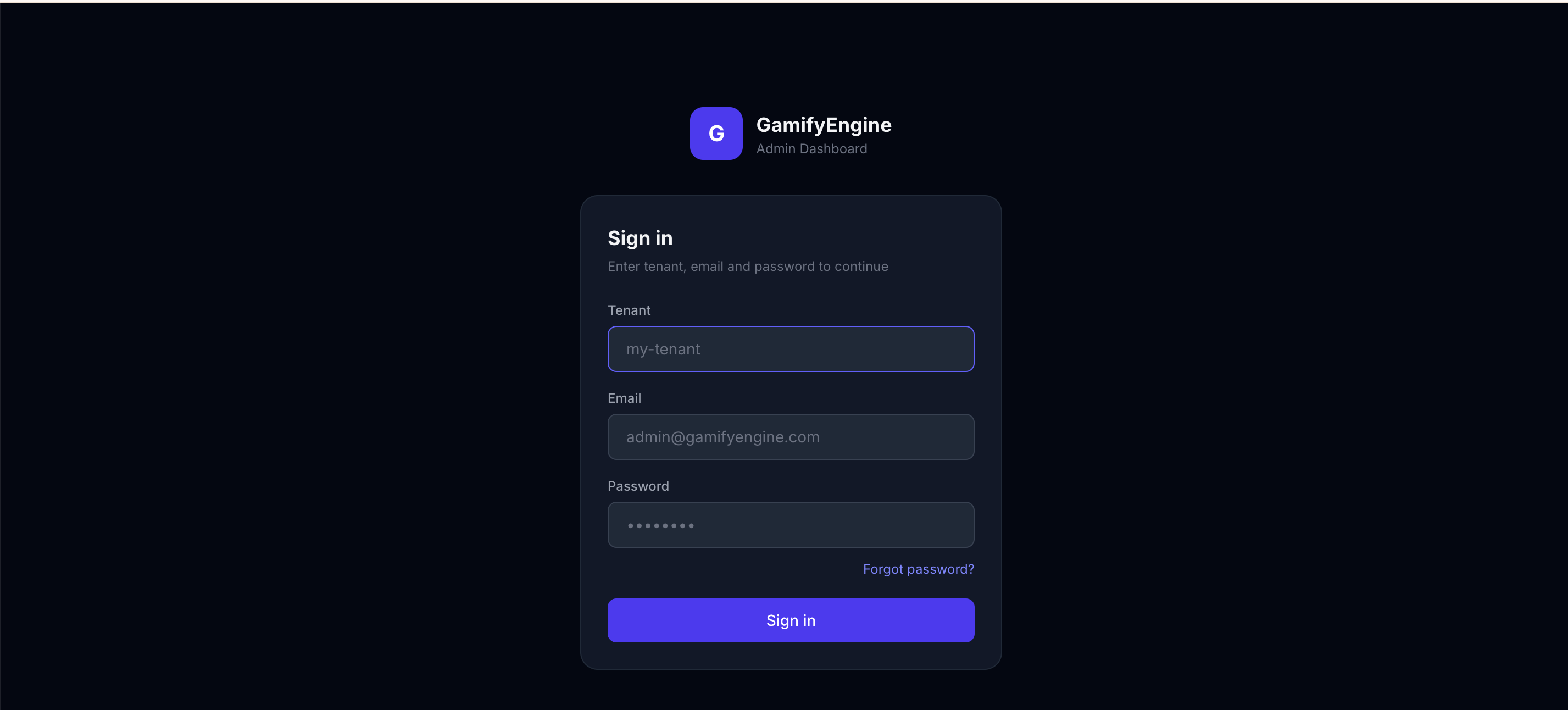
The Login page is the Client Admin sign-in screen: enter email and password to get a JWT, then access all tenant admin features (Rules, Users, Tiers, Rewards, …). Part of Client Admin.
Who uses it
Used by Client Admin (tenant administrator). The account is created by Super Admin (or another admin) in the tenant management section.
How to use
Open the Client Admin URL → enter the email and password you were given → click login. On success you receive JWT (accessToken, refreshToken); all subsequent requests send header Authorization: Bearer <accessToken>. The JWT contains tenant_id so the system knows which tenant you are managing.
Fields created and sent by Super Admin
When Super Admin creates a Client Admin account for a tenant (via the Tenant detail screen), they enter the following. Client Admin uses email and password from it to log in:
| Field | Description | Used at login? |
|---|---|---|
email |
Admin’s login email for the tenant. Entered by Super Admin when creating; must be unique within the tenant. | Yes — enter in the Email field on the Client Admin login form. |
password |
Password (plain or hashed per backend). Set by Super Admin at creation; should be shared with the client over a secure channel. | Yes — enter in the Password field on the Client Admin login form. |
displayName |
Display name (e.g. “John Doe”, “Brand X Admin”). Used in UI and reports; not used for login. | No. |
role |
Role (e.g. admin, manager) — depends on backend; determines permissions in Client Admin. |
No — only affects permissions after login. |
Summary: On the Client Admin login form, enter the email and password that Super Admin used when creating the account. The account is already tied to that tenant, so logging in with email/password is enough.
Client Admin login screen.