LeaderboardsLeaderboards
Trang Leaderboards (bảng xếp hạng) dùng để cấu hình bảng xếp hạng theo điểm hoặc tiêu chí (vd. tổng điểm trong tháng). User xem rank và top N; widget có thể hiển thị leaderboard. Thuộc module Client Admin.
Leaderboard là gì?
Leaderboard (bảng xếp hạng) là danh sách user được sắp theo điểm (hoặc tiêu chí khác) từ cao xuống thấp: top 1, top 2, … User thấy vị trí của mình và những người đứng đầu. Có thể xếp theo tổng điểm all-time hoặc theo kỳ (vd. tháng) để reset định kỳ, tạo đợt thi đua mới.
Sử dụng như thế nào và có lợi gì?
Cách sử dụng: Bạn tạo leaderboard trong Client Admin (nguồn điểm, khoảng thời gian). User tích điểm như bình thường; Engine tự cập nhật thứ hạng. End-user xem bảng xếp hạng qua Widget hoặc API.
Lợi ích:
- Cạnh tranh & viral: User muốn lên top → tích điểm nhiều hơn, chia sẻ, rủ bạn tham gia → tăng engagement và acquisition.
- Retention theo kỳ: Leaderboard theo tháng/tuần tạo mục tiêu rõ (“Trong tháng này mình phải vào top 10”) và lý do quay lại mỗi kỳ.
- Phần thưởng top rank: Có thể kết hợp campaign/reward để tặng quà cho top 3, top 10 — tăng động lực cạnh tranh.
Ai sử dụng (Client Admin)
Dùng bởi Client Admin (quản trị tenant) sau khi đăng nhập bằng JWT.
Cấu hình trong Client Admin
Vào sidebar Client Admin → Leaderboards. Thao tác: tạo/sửa leaderboard, chọn nguồn điểm hoặc tiêu chí, khoảng thời gian (all-time, monthly). End-user xem rank qua Widget hoặc API. Liên quan: Users, Widget.
Cấu hình Leaderboards. / Leaderboards configuration.
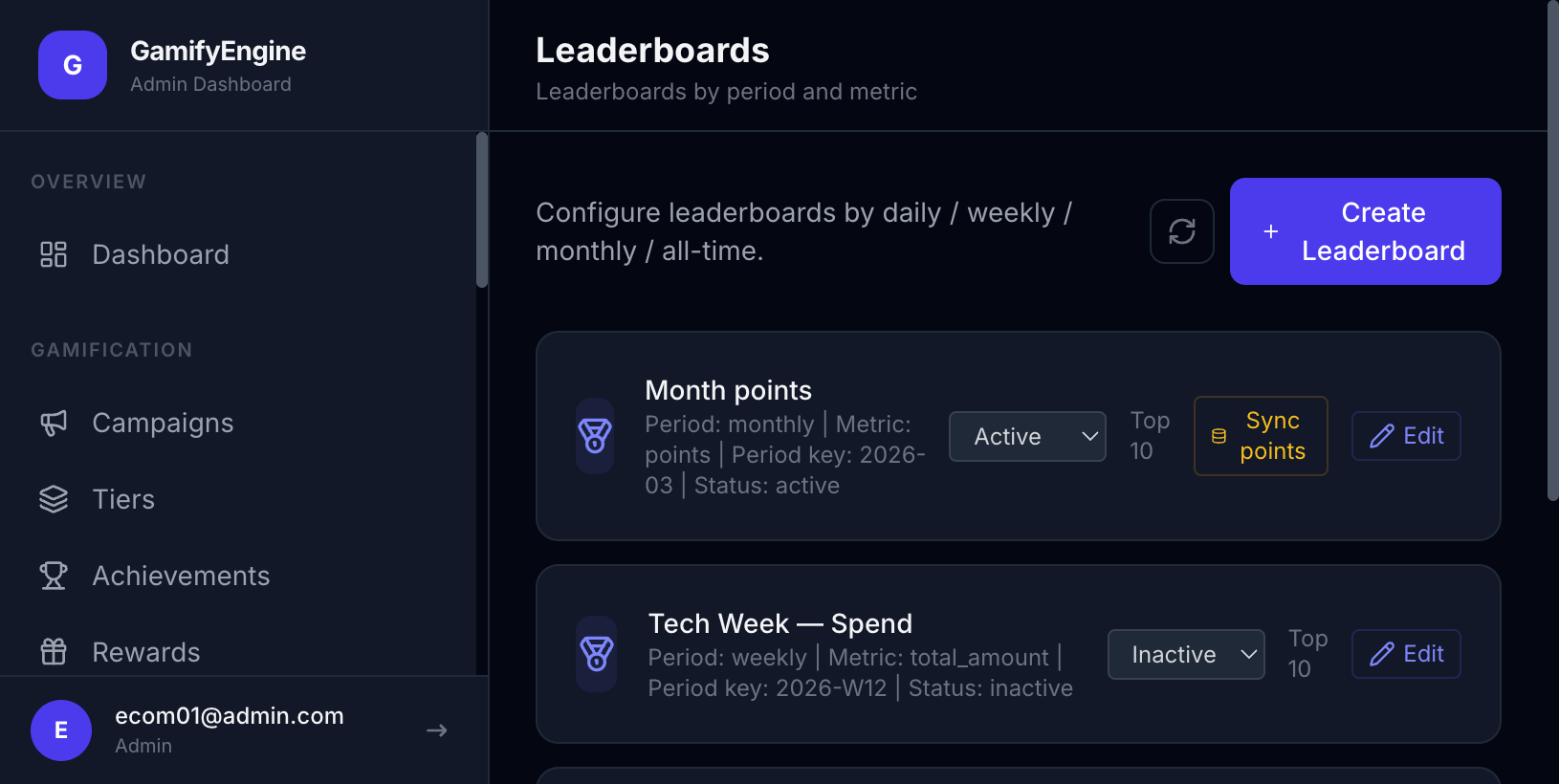
The Leaderboards page configures rankings by points or criteria (e.g. total points this month). Users see their rank and top N; the widget can display leaderboards. Part of Client Admin.
What is a leaderboard?
A leaderboard is a ranked list of users by points (or another metric) from highest to lowest: rank 1, 2, … Users see their position and the top players. Rankings can be all-time or time-bound (e.g. monthly) so they reset periodically and create new competition cycles.
How to use and what are the benefits?
How it works: You create a leaderboard in Client Admin (points source, time window). Users earn points as usual; the Engine updates ranks. End-users view the leaderboard via the Widget or API.
Benefits:
- Competition & viral: Users want to reach the top → earn more points, share, invite friends → higher engagement and acquisition.
- Periodic retention: Monthly or weekly leaderboards give a clear goal (“Get into top 10 this month”) and a reason to return each period.
- Rewards for top ranks: Combine with campaigns/rewards to give prizes to top 3, top 10 — increases competitive motivation.
Who uses it (Client Admin)
Used by Client Admin (tenant administrator) after logging in with JWT.
Configuration in Client Admin
Go to Client Admin sidebar → Leaderboards. Actions: create/edit leaderboard, set points source or criteria, time window (all-time, monthly). End-users view rank via Widget or API. Related: Users, Widget.
Leaderboards configuration.