CampaignsCampaigns
Trang Campaigns (chiến dịch) dùng để tạo chiến dịch có thời hạn: khoảng thời gian, điều kiện tham gia (segment, tier), thưởng hoặc rule áp dụng. Ví dụ: “Tháng 3, user tier Gold đăng nhập mỗi ngày cộng thêm 10 điểm”. Thuộc module Client Admin.
Campaign là gì?
Campaign (chiến dịch) là đợt khuyến mãi có thời gian bắt đầu và kết thúc, áp dụng cho một nhóm user (segment hoặc tier): trong khoảng thời gian đó, user thỏa điều kiện sẽ nhận thêm điểm, reward hoặc rule đặc biệt. Ví dụ: “Tháng 3: user Gold đăng nhập mỗi ngày +10 điểm”, “Tuần lễ vàng: segment VIP đổi quà giảm 20% điểm”. User không cần đăng ký — nếu thuộc segment/tier và trong thời gian campaign, Engine tự áp dụng.
Sử dụng như thế nào và có lợi gì?
Cách sử dụng: Bạn tạo campaign trong Client Admin (thời gian, điều kiện segment/tier, rule hoặc thưởng). Sau khi bật, campaign chạy tự động; hết hạn hoặc tắt thì dừng.
Lợi ích:
- Khuyến mãi theo đợt: Tạo cảm giác “sự kiện”, kích thích user tham gia trong khung thời gian (vd. tháng 3, tuần Black Friday) → tăng engagement và doanh thu đợt đó.
- Targeting theo segment/tier: Ưu đãi chỉ cho Gold, chỉ cho segment VIP → vừa tri ân vừa thúc đẩy nhóm còn lại cố gắng lên hạng.
- Không cần deploy code: Chỉnh thời gian, điều kiện, thưởng trên Client Admin — ra campaign mới nhanh, linh hoạt.
Ai sử dụng (Client Admin)
Dùng bởi Client Admin (quản trị tenant) sau khi đăng nhập bằng JWT.
Cấu hình trong Client Admin
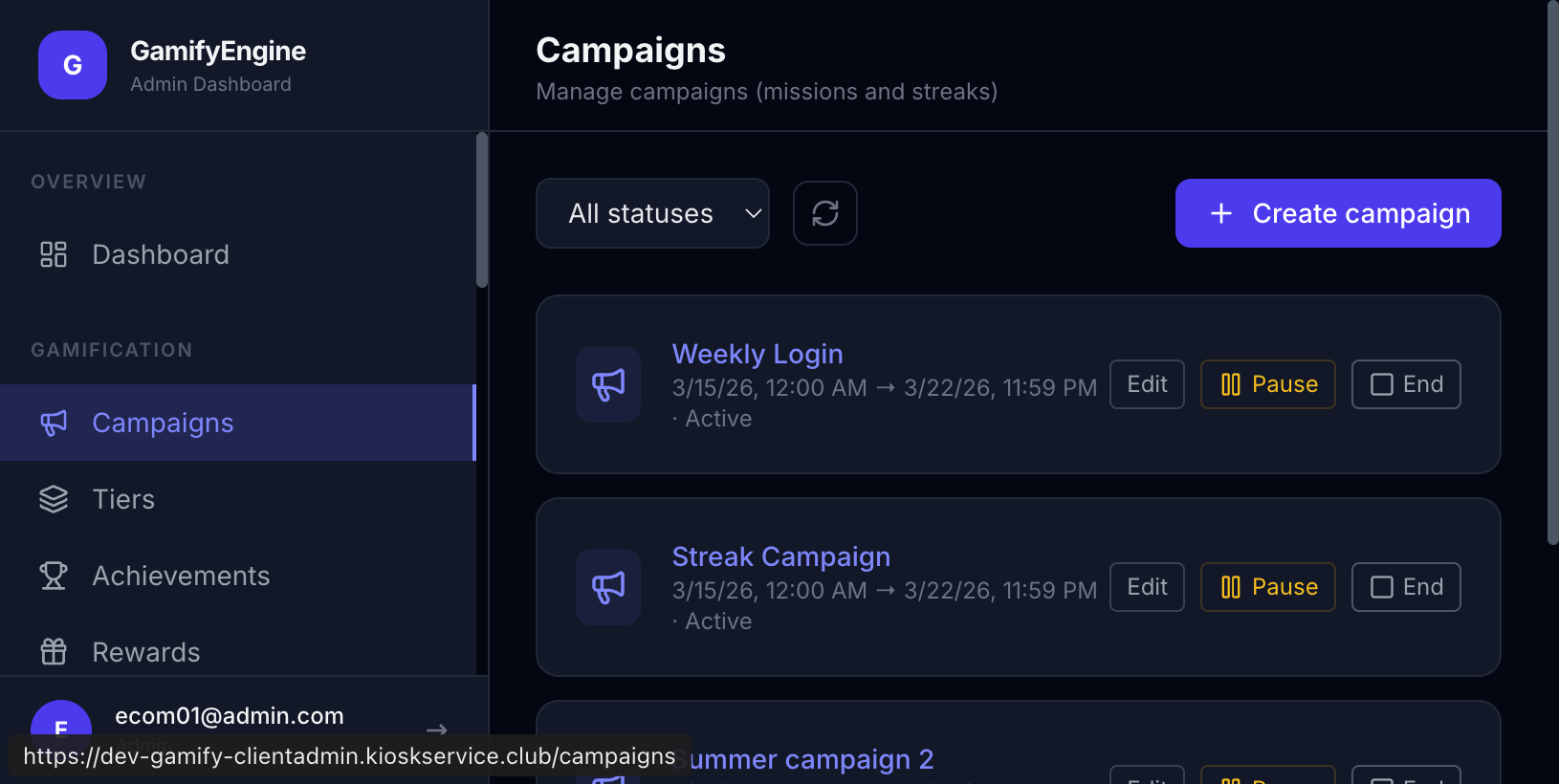
Vào sidebar Client Admin → Campaigns. Thao tác: tạo campaign (thời gian bắt đầu/kết thúc, điều kiện segment/tier, rule/thưởng), sửa, bật/tắt. Liên quan: Segments, Tiers, Event Types.
Quản lý Campaigns. / Campaigns management.
The Campaigns page creates time-bound campaigns: period, participation conditions (segment, tier), rewards or rules. E.g. “In March, Gold tier users get +10 points per daily login”. Part of Client Admin.
What is a campaign?
A campaign is a time-limited promotion with a start and end date, applied to a group of users (segment or tier): during that period, users who meet the conditions get extra points, rewards, or special rules. E.g. “March: Gold users +10 points per daily login”, “Golden week: VIP segment redeems at 20% fewer points”. Users don’t sign up — if they’re in the segment/tier and the campaign is active, the Engine applies it automatically.
How to use and what are the benefits?
How it works: You create a campaign in Client Admin (time range, segment/tier conditions, rule or reward). Once enabled, it runs automatically; it stops when it expires or you disable it.
Benefits:
- Time-bound promotions: Create a sense of “event” and urgency → users engage more during the period (e.g. March, Black Friday week) → higher engagement and revenue for that period.
- Targeting by segment/tier: Offer perks only to Gold or VIP segment → reward loyal users and motivate others to level up.
- No code deploy: Change time, conditions, and rewards in Client Admin — launch new campaigns quickly and flexibly.
Who uses it (Client Admin)
Used by Client Admin (tenant administrator) after logging in with JWT.
Configuration in Client Admin
Go to Client Admin sidebar → Campaigns. Actions: create (start/end time, segment/tier conditions, rule/reward), edit, enable/disable. Related: Segments, Tiers, Event Types.
Campaigns management.