RewardsRewards
Trang Rewards (phần thưởng) dùng để quản lý catalog phần thưởng mà user có thể đổi bằng điểm — voucher, quà tặng, mã giảm giá. Mỗi reward có tên, số điểm cần, số lượng (nếu giới hạn), mô tả. Khi user đổi thưởng, hệ thống trừ điểm và có thể gọi webhook sang URL của bạn để fulfill. Thuộc module Client Admin.
Reward là gì?
Reward (phần thưởng) là quà mà user đổi bằng điểm tích lũy: voucher, mã giảm giá, quà tặng, v.v. Bạn khai báo từng reward trong catalog (tên, giá điểm, số lượng nếu giới hạn). User chọn reward và bấm đổi → Engine trừ điểm, tạo bản ghi redemption và gửi webhook sang hệ thống của bạn để bạn thực hiện cấp quà (gửi mã, nạp credit, …).
Sử dụng như thế nào và có lợi gì?
Cách sử dụng: Bạn tạo reward trong Client Admin, cấu hình webhook URL để nhận sự kiện đổi thưởng. User đổi qua Widget hoặc app; backend của bạn nhận webhook và fulfill. Chi tiết luồng xem bên dưới.
Lợi ích:
- Đổi điểm thành giá trị thật: User thấy điểm có thể đổi lấy ưu đãi/voucher → tăng động lực tích điểm và gắn bó.
- Loyalty & tái mua: Phần thưởng (mã giảm, quà) khuyến khích user quay lại mua hàng, sử dụng dịch vụ.
- Kiểm soát chi phí: Bạn đặt giá điểm và số lượng từng reward → kiểm soát được ngân sách khuyến mãi.
Ai sử dụng (Client Admin)
Dùng bởi Client Admin (quản trị tenant) sau khi đăng nhập bằng JWT.
Cấu hình trong Client Admin
Vào sidebar Client Admin → Rewards. Thao tác: xem danh sách reward, tạo mới (tên, điểm, số lượng, mô tả), sửa, xóa. Cấu hình webhook fulfillment trong Client Admin hoặc API để nhận thông báo khi user đổi thưởng. Liên quan: Users, API and Webhook (redemption callback).
Catalog Rewards. / Rewards catalog.
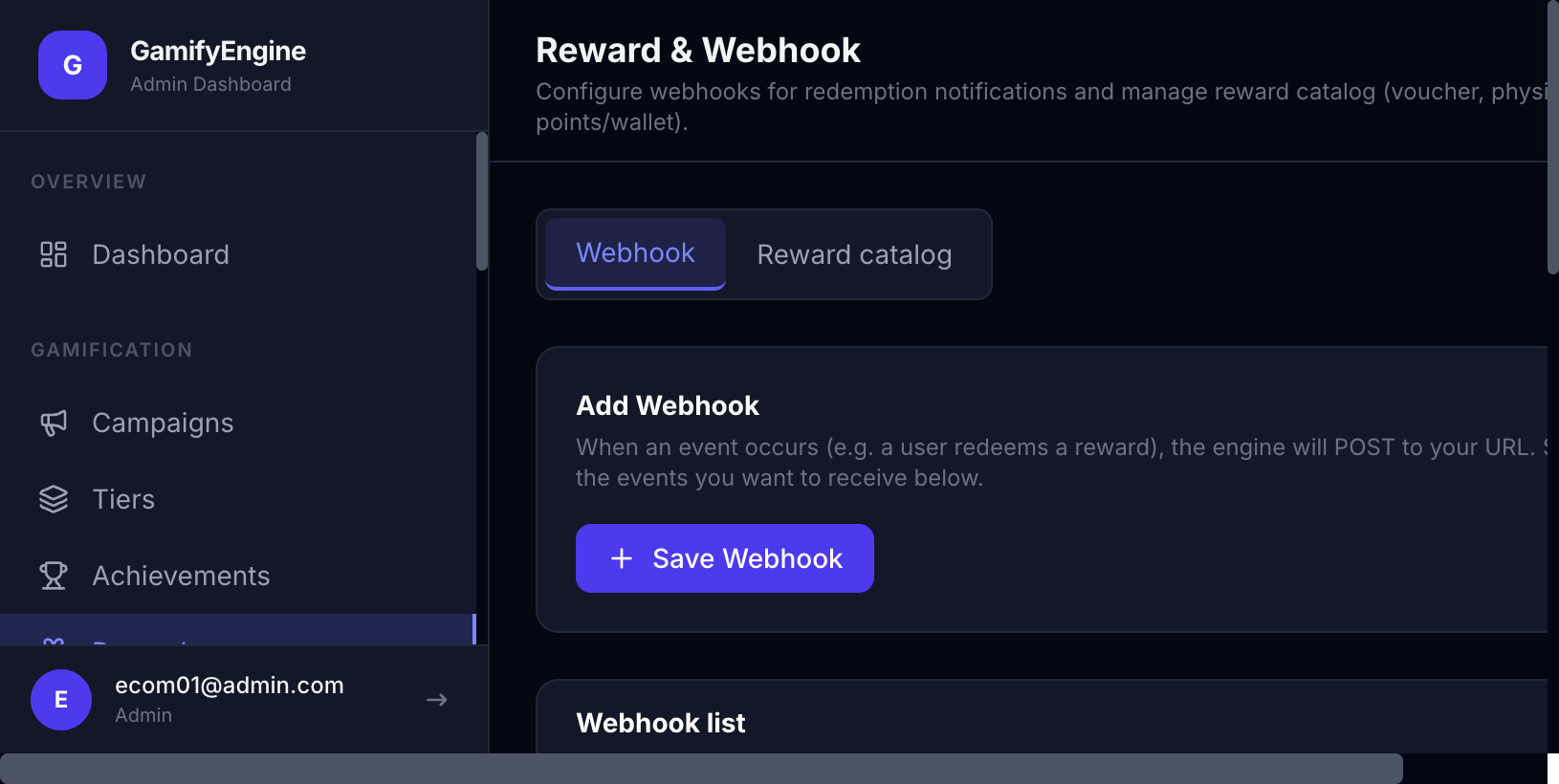
Luồng Reward (tổng quan)
GamifyEngine quản lý catalog phần thưởng và điểm của user. Khi user đổi thưởng (redeem): Engine kiểm tra đủ điểm, tier, tồn kho → trừ điểm → tạo bản ghi redemption. Phần cấp quà thực tế (gửi voucher, nạp credit, …) do hệ thống của bạn thực hiện: Engine gửi webhook tới URL bạn cấu hình, bạn nhận payload rồi fulfill và (tuỳ chọn) gọi callback để cập nhật trạng thái.
Luồng Redeem Reward (đổi thưởng)
- User chọn đổi thưởng — Trên Widget hoặc app của bạn, user chọn một reward và bấm đổi. App/Widget gọi API redeem (qua SDK hoặc backend của bạn gọi Engine).
- Engine xử lý — Kiểm tra: user đủ điểm, đúng tier (nếu reward giới hạn tier), còn tồn kho, không vượt cooldown. Nếu hợp lệ: trừ điểm, tạo bản ghi redemption (trạng thái
redeemed), giảm số lượng reward (nếu có giới hạn). - Engine gửi webhook — Engine gửi POST tới URL webhook mà bạn đã cấu hình (Client Admin → Webhook / cài đặt tenant). Payload chứa:
event: "reward_redeemed",redemption_id,user_id,external_user_id(id user trên hệ thống bạn),reward_id,reward_type,points_spent, thông tin reward. Kèm header chữ ký (vd.X-GamifyEngine-Signature,X-GamifyEngine-Timestamp) để bạn verify. Bạn trả 2xx khi nhận được; nếu trả lỗi hoặc timeout, Engine có thể retry. - Backend của bạn fulfill — Endpoint webhook nhận body JSON, map
external_user_idvà reward → thực hiện cấp quà (gửi mã voucher, nạp credit, ghi log, …). - Callback cập nhật trạng thái (tuỳ chọn) — Sau khi fulfill xong (hoặc thất bại), bạn gọi API callback do bên vận hành GamifyEngine cung cấp để cập nhật redemption: đánh dấu
fulfilledhoặcfailed, kèm thời điểm và dữ liệu bổ sung (vd. mã voucher). Chi tiết endpoint, body, cách lấy API Key xem tài liệu tích hợp mà operator gửi cho bạn hoặc API and Webhook.
flowchart LR
  A["User / App
Đổi thưởng"] --> B["GamifyEngine
Trừ điểm, tạo redemption"]
  B -->|POST webhook| C["Backend của bạn
Nhận payload, fulfill"]
  C -->|2xx OK| B
  C --> D["(Tuỳ chọn) Call callback
fulfilled / failed"]
Luồng: User đổi → Engine trừ điểm → gửi webhook → Bạn fulfill → (optional) callback.
Callback (webhook bạn nhận)
Engine gửi POST tới URL webhook của bạn với body JSON. Nội dung chính: event = "reward_redeemed", redemption_id (UUID, dùng khi gọi API callback sau này), external_user_id (id user trên hệ thống bạn, có thể null), user_id, reward_id, reward_type, reward_value, points_spent, reward (name, type, fulfillmentData), timestamp. Headers có thể gồm X-GamifyEngine-Signature và X-GamifyEngine-Timestamp để bạn verify request (HMAC với secret đã cấu hình). Bạn cần trả 2xx trong thời gian cho phép (vd. vài giây) để Engine coi là gửi thành công; trả 4xx/5xx hoặc timeout thì Engine có thể retry. Sau khi xử lý xong (gửi voucher, nạp credit, …), bạn có thể gọi API callback do operator cung cấp để cập nhật fulfilled_at và status (fulfilled / failed).
Setup webhook
Để nhận webhook khi user đổi thưởng:
- Chuẩn bị endpoint — Backend của bạn có URL public (HTTPS khuyến nghị) nhận POST, parse JSON, trả 2xx khi nhận được. Endpoint nên xử lý nhanh (trong vài giây) hoặc queue để xử lý sau nhưng vẫn trả 2xx ngay.
- Cấu hình trong Client Admin — Đăng nhập Client Admin → vào mục cài đặt Webhook (hoặc Settings → Webhook tùy giao diện). Nhập URL webhook (vd.
https://api.tenant.com/webhooks/gamify-reward). Nếu có tùy chọn secret để ký webhook, hãy đặt và lưu lại — dùng secret này ở backend để verify header chữ ký (HMAC). Lưu cấu hình. - Verify chữ ký (khuyến nghị) — Mỗi request webhook có thể kèm header
X-GamifyEngine-Signature(HMAC SHA256 của body với secret). Backend của bạn tính HMAC từ body + secret và so sánh với header để đảm bảo request đến từ Engine. - Test — Sau khi user đổi thưởng thử, kiểm tra endpoint của bạn nhận được POST với payload đúng; trả 2xx và xử lý fulfill (hoặc log). Nếu Engine báo lỗi gửi webhook, kiểm tra URL đúng, endpoint trả 2xx, firewall/SSL.
Chi tiết thêm: API and Webhook.
The Rewards page manages the catalog of rewards users can redeem with points — vouchers, gifts, discount codes. Each reward has name, point cost, quantity (if limited), description. When a user redeems, the system deducts points and can call your webhook to fulfill. Part of Client Admin.
What is a reward?
A reward is something users redeem with accumulated points: vouchers, discount codes, gifts, etc. You define each reward in the catalog (name, point cost, quantity if limited). The user selects a reward and redeems → the Engine deducts points, creates a redemption record, and sends a webhook to your system so you can fulfill (send code, credit account, etc.).
How to use and what are the benefits?
How it works: You create rewards in Client Admin and configure a webhook URL to receive redemption events. Users redeem via the Widget or app; your backend receives the webhook and fulfills. See the flow below for details.
Benefits:
- Turn points into real value: Users see that points can be exchanged for perks/vouchers → more motivation to earn and stay engaged.
- Loyalty & repeat usage: Rewards (discounts, gifts) encourage users to return and buy or use the service again.
- Cost control: You set point price and quantity per reward → control promo budget.
Who uses it (Client Admin)
Used by Client Admin (tenant administrator) after logging in with JWT.
Configuration in Client Admin
Go to Client Admin sidebar → Rewards. Actions: view list, create (name, points, quantity, description), edit, delete. Configure fulfillment webhook in Client Admin or API to receive redemption events. Related: Users, API and Webhook (redemption callback).
Rewards catalog.
Reward flow (overview)
GamifyEngine manages the reward catalog and user points. When a user redeems: the Engine checks sufficient points, tier, inventory → deducts points → creates a redemption record. The actual fulfillment (sending voucher, crediting account, etc.) is done by your system: the Engine sends a webhook to the URL you configure; you receive the payload, fulfill, and (optionally) call a callback to update status.
Redeem reward flow
- User redeems — In the Widget or your app, the user selects a reward and redeems. The app/Widget calls the redeem API (via SDK or your backend calling the Engine).
- Engine processes — Validates: user has enough points, correct tier (if reward is tier-restricted), inventory available, cooldown not exceeded. If valid: deduct points, create redemption record (status
redeemed), decrease reward quantity if limited. - Engine sends webhook — Engine POSTs to your configured webhook URL (Client Admin → Webhook / tenant settings). Payload includes:
event: "reward_redeemed",redemption_id,user_id,external_user_id(your system’s user id),reward_id,reward_type,points_spent, reward details. Headers may includeX-GamifyEngine-SignatureandX-GamifyEngine-Timestampfor verification. You must return 2xx promptly; 4xx/5xx or timeout may trigger retries. - Your backend fulfills — Your webhook endpoint receives the JSON body, maps
external_user_idand reward, then fulfills (send voucher code, credit account, log, etc.). - Callback to update status (optional) — After fulfilling (or on failure), you call the callback API provided by the GamifyEngine operator to update the redemption: mark
fulfilledorfailed, with timestamp and optional data (e.g. voucher code). Endpoint, body, and API Key details are in the integration doc from the operator or API and Webhook.
flowchart LR
  A["User / App
Redeem"] --> B["GamifyEngine
Deduct points, create redemption"]
  B -->|POST webhook| C["Your backend
Receive payload, fulfill"]
  C -->|2xx OK| B
  C --> D["(Optional) Call callback
fulfilled / failed"]
Flow: User redeems → Engine deducts points → sends webhook → You fulfill → (optional) callback.
Callback (webhook you receive)
The Engine sends POST to your webhook URL with a JSON body. Main fields: event = "reward_redeemed", redemption_id (UUID, use when calling the callback API later), external_user_id (your system’s user id, may be null), user_id, reward_id, reward_type, reward_value, points_spent, reward (name, type, fulfillmentData), timestamp. Headers may include X-GamifyEngine-Signature and X-GamifyEngine-Timestamp for verification (HMAC with configured secret). You must return 2xx within the allowed time (e.g. a few seconds) so the Engine considers delivery successful; 4xx/5xx or timeout may trigger retries. After processing (send voucher, credit, etc.), you can call the callback API provided by the operator to update fulfilled_at and status (fulfilled / failed).
Setup webhook
To receive webhooks when users redeem:
- Prepare an endpoint — Your backend exposes a public URL (HTTPS recommended) that accepts POST, parses JSON, and returns 2xx. It should respond quickly (within seconds) or queue for later processing but still return 2xx immediately.
- Configure in Client Admin — Log in to Client Admin → go to Webhook settings (or Settings → Webhook). Enter your webhook URL (e.g.
https://api.tenant.com/webhooks/gamify-reward). If there is a secret option for signing, set and save it — use this secret on your backend to verify the signature header (HMAC). Save the configuration. - Verify signature (recommended) — Each webhook request may include
X-GamifyEngine-Signature(HMAC SHA256 of body with secret). Your backend computes HMAC from body + secret and compares with the header to ensure the request is from the Engine. - Test — After a test redemption, confirm your endpoint receives the POST with the expected payload; return 2xx and process (or log). If the Engine reports webhook delivery failure, check URL, 2xx response, firewall/SSL.
See also: API and Webhook.